Whether you're already in China or still planning the trip, one rule outlasts every guidebook: you need a translation tool. In a country where English signage is sparse and menus are mostly in Chinese, the right app can be the difference between a smooth day and a frustrating one.
Carry the right translator, and the language barrier shrinks to almost nothing.
Most of these apps are free and available on both iOS and Android. We recommend installing at least two, one general-purpose translator (like Baidu or Google) and one built into an app you already use (like WeChat or Alipay), so you're covered in any situation.
on my first week in a new city, i stood at a pharmacy counter with a cough, the pharmacist waved a bottle i couldn't read, i opened Baidu Translate, pointed the camera at the label, and honestly the English popped up fast enough that i grabbed the right syrup. that small win is why i tell every visitor to install a translator before the plane lands.
Translation Tools
Living in a dynamic and cosmopolitan city like Shanghai offers countless opportunities to connect with locals, and overcoming the language barrier can open doors to even richer cultural experiences. Here are eight translation tools to help you bridge the gap.
1. Google Translate
The world's most popular translator. Type, speak, or point your camera at text for instant translation. Supports over 100 languages, including Chinese. Download offline language packs before you arrive so it works without a connection.
Caveat: Google services are blocked in China. You'll need a VPN to use Google Translate, or download the offline Chinese pack before you enter the country.
2. Baidu Translate
Baidu Translate (百度翻译) is one of China's most popular translation apps, and it works without a VPN. It supports text, voice, and photo translation between Chinese and dozens of other languages.
Best for: Translating long paragraphs of text, Baidu often produces more natural Chinese than Google. The photo translation feature is excellent for menus and signs.
3. Youdao Dictionary
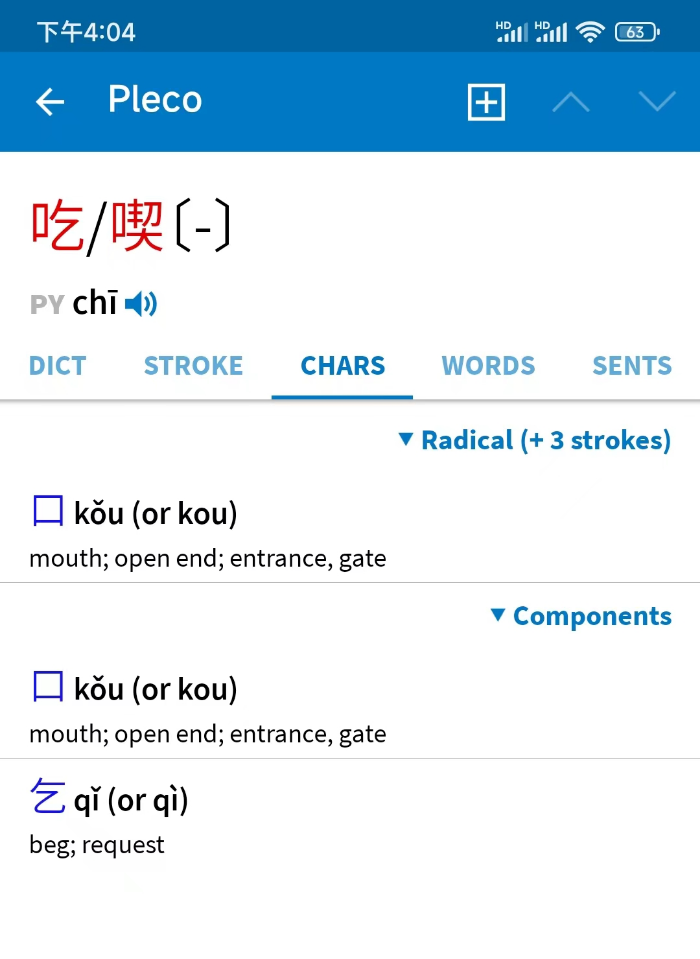
Youdao Dictionary (有道词典), developed by NetEase, is a powerhouse for Chinese-English translation. It excels at word-level lookup, example sentences, and even handwriting recognition, draw a character you don't recognize, and Youdao identifies it.
Ideal for: Language learners and anyone who needs precise word definitions, pinyin, and stroke-order animations.
4. Caiyun Translation
Caiyun Translation (彩云小译) is a lightweight app known for its natural, fluent translations, especially for full sentences and paragraphs. It also offers a web translation feature that translates entire Chinese web pages into English on the fly.
Great for: Reading Chinese websites, news articles, and long-form text. Its bilingual reading mode shows English and Chinese side by side.
5. Sogou Translate
Sogou Translate (搜狗翻译), from the makers of Sogou Input, offers text, voice, and photo translation. Its dialogue mode splits the screen into two halves, you speak in English, it speaks Chinese back; your conversation partner speaks Chinese, it translates to English.
Good for: Face-to-face conversations with taxi drivers, shopkeepers, and doctors.
6. Microsoft Translator
Microsoft Translator supports text, voice, camera, and multi-person conversation translation. Its standout feature is multi-person mode, up to 100 people can join a conversation, each speaking their own language, and everyone sees translations on the fly.
Recommended for: Group conversations, business meetings, and classroom settings.
7. WeChat Translate
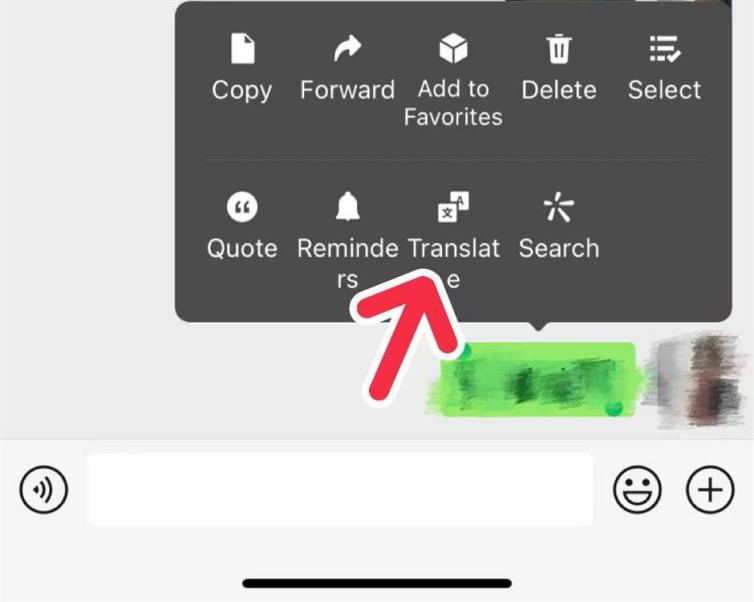
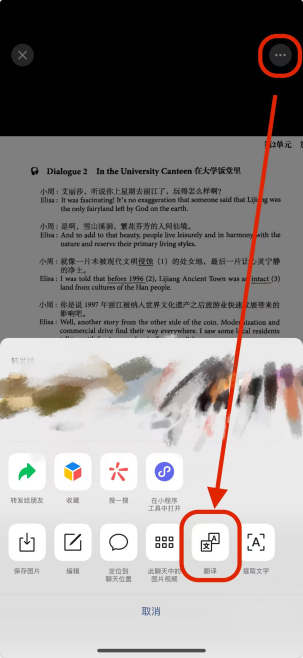
If you already have WeChat installed, you have a translator built in. Long-press any chat message and tap "Translate" to convert it to your language instantly. You can also tap "+" → "Scan" → "Translate" to point your camera at menus, signs, or documents for live translation.
Handy for: Everyday use, no extra app to install, and it works right inside the app you already use for everything else. See our WeChat guide for the full walkthrough.
8. Alipay Translate
Alipay also has a built-in translation feature. On the home page, tap "Translate" (翻译) or search for it, and you can type or paste text for instant translation. It's handy when you're already in Alipay paying a bill or scanning a QR code and need a quick translation.
Built for: Quick lookups while paying or shopping, no need to switch apps. See our Alipay guide for more.
it is not always as clean as the demo. one night a street vendor's menu used a dialect the app had never seen, Baidu guessed "braised unknown meat," i was annoyed, we both laughed, and i just pointed at a neighbor's bowl instead. cameras also struggle with handwritten signs and dim light, so when a translation looks odd, show the phone to a local and ask, people almost always help.
beyond the list, two habits save me every week. every app here is free, so i keep Baidu plus WeChat's built-in translator on my phone, that pairing covers text, camera, and chat without a VPN. if you prefer Google, download the offline Chinese pack before you fly, once you land the app won't load a thing without it.
Common questions about translation apps for China
Which translation app should I install first for China?
If you can only pick one, install Baidu Translate, it works without a VPN and handles text, voice, and photo translation well. Add WeChat's built-in translator as your second tool.
Does Google Translate work in China?
Only with a VPN. If you don't have one, download the offline Chinese language pack before you enter China, or use Baidu Translate instead.
Do I need a VPN to translate things in China?
Not for most apps. Baidu, Youdao, Caiyun, Sogou, Microsoft Translator, and the translators built into WeChat and Alipay all work without one. Google Translate is the exception, it's blocked without a VPN.
Can I translate Chinese offline without internet?
Yes, but set it up before you fly. Download the offline Chinese pack in Google Translate, or whichever app you prefer, while you still have access. Once you land, an app without that pack won't load a thing.
Can these apps translate speech in real time?
Yes. Sogou Translate and Microsoft Translator both support live conversation mode, speak in English and the app speaks Chinese back instantly. Sogou's dialogue mode splits the screen in two, and Microsoft's multi-person mode handles up to 100 people.
Which app is best for reading Chinese menus and signs?
Baidu Translate and WeChat's "Scan → Translate" feature are both excellent for camera-based translation of printed text. Handwritten signs and dim light still trip up every app, so when a translation looks odd, show your phone to a local and ask.
Is there already a translator inside WeChat or Alipay?
Yes. In WeChat, long-press any message and tap "Translate", or tap "+" → "Scan" → "Translate" for menus and signs. In Alipay, tap "Translate" (翻译) on the home page. Neither needs another app installed.