Whether you're already in China or still planning the trip, one rule outlasts every guidebook: you need WeChat. In a country where cash and physical cards are fading fast, this "super app" has grown far beyond chat, from a coffee on the corner to a ride across the city, it's the quiet backbone of daily life.
Master WeChat, and you master everyday life in China.
on my first week in China, a noodle stall near my hostel took only a scannable code, and when i froze, the man behind me just held my phone and paid for me. that small moment is exactly why this guide opens with setup, not sightseeing.

If you're coming to study or work, download the app and bind your bank card before you land. Some on-arrival steps, insurance payments, health checks, only accept online transfers through WeChat Pay, and won't take cash or foreign wire transfers.
WeChat is where your digital life in China begins, part messenger, part wallet, part gateway to almost every service you'll use.

1. Set up WeChat
Your first task is building a digital identity. WeChat isn't just a chat app, it's the entry point to many everyday services.
-
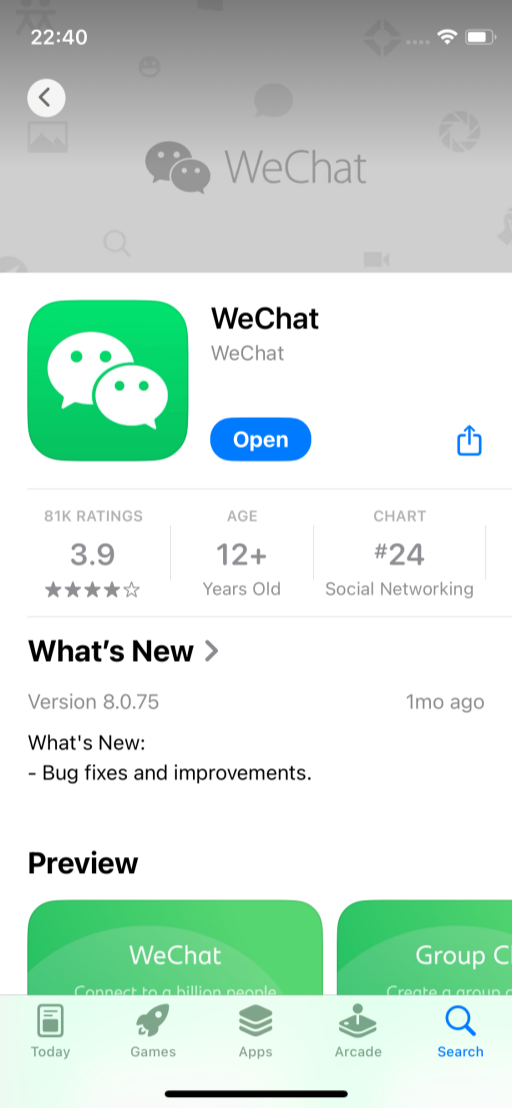
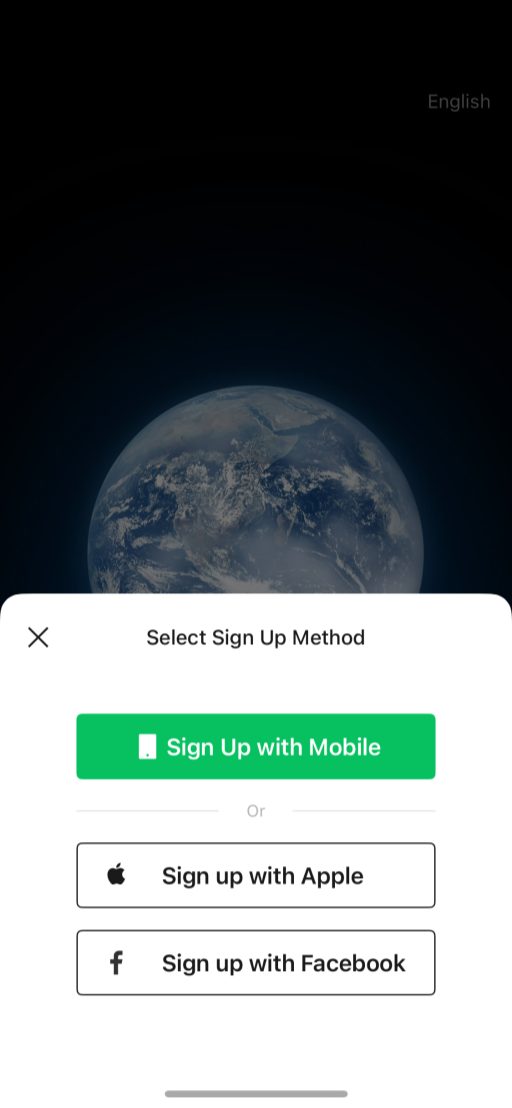
Download, Get WeChat from the App Store or Google Play and sign up.
-
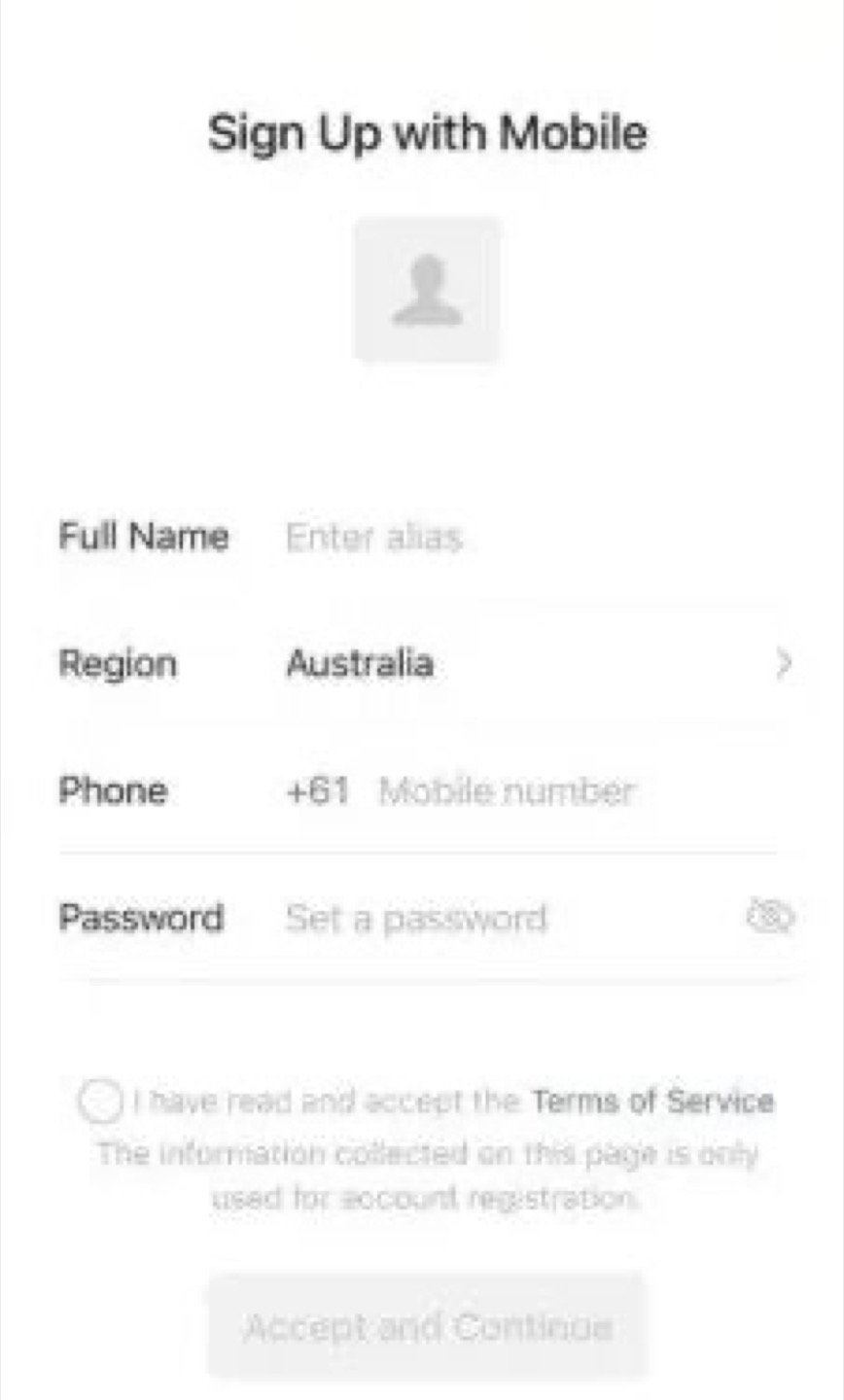
Register & verify, Create your account and fill in your details. Foreigners must scan their passport ID page for real-name verification, required by local rules, and the key that opens up payments.
-
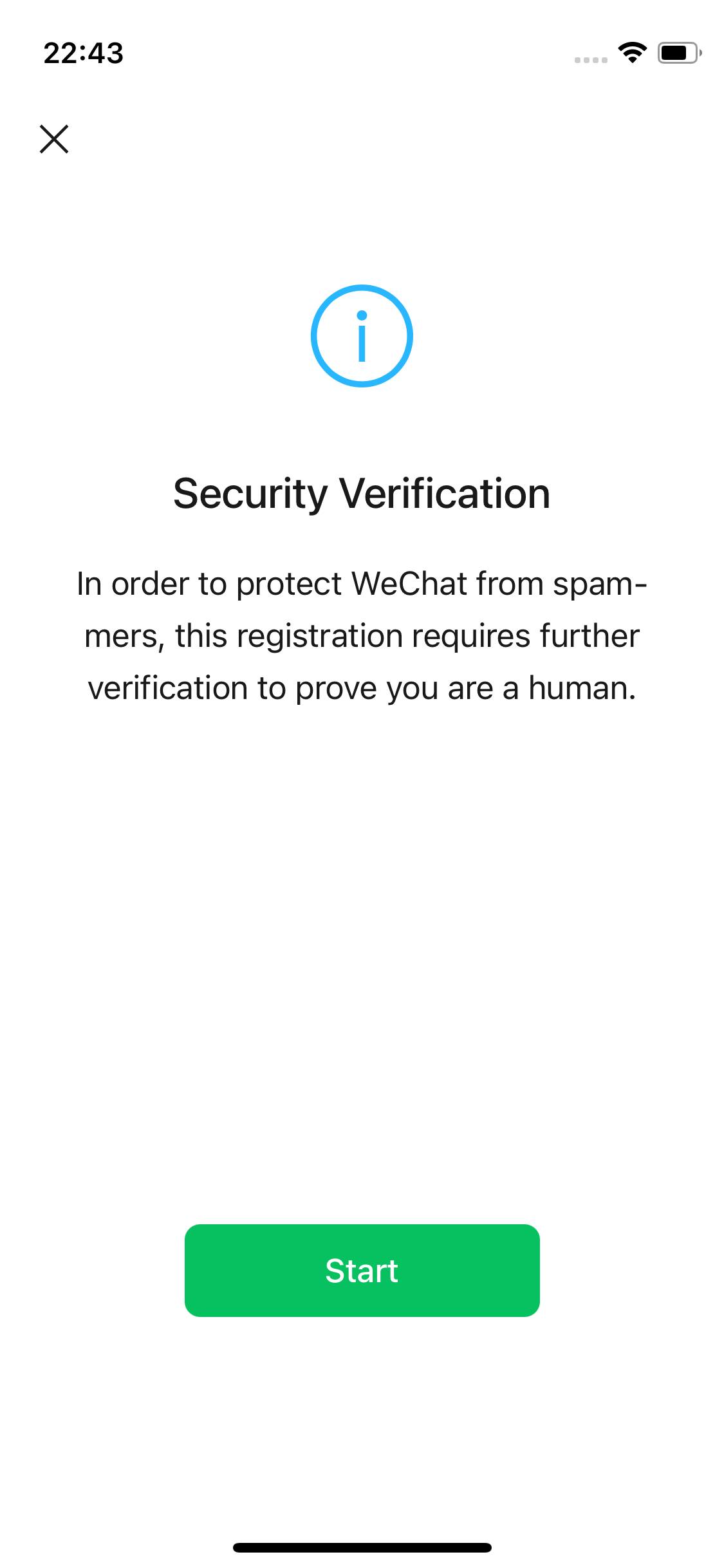
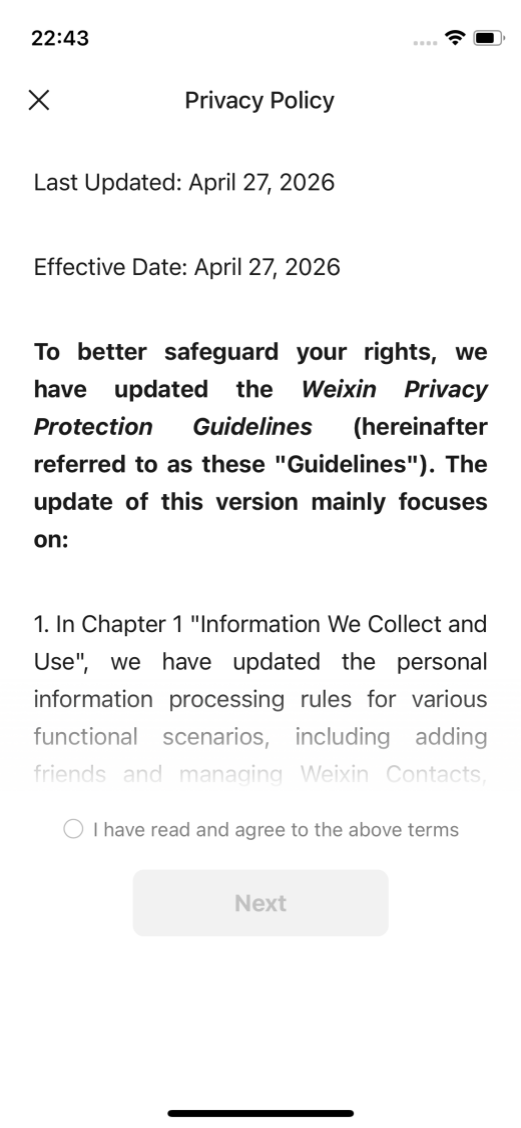
Security verification, Complete the first security check.
-
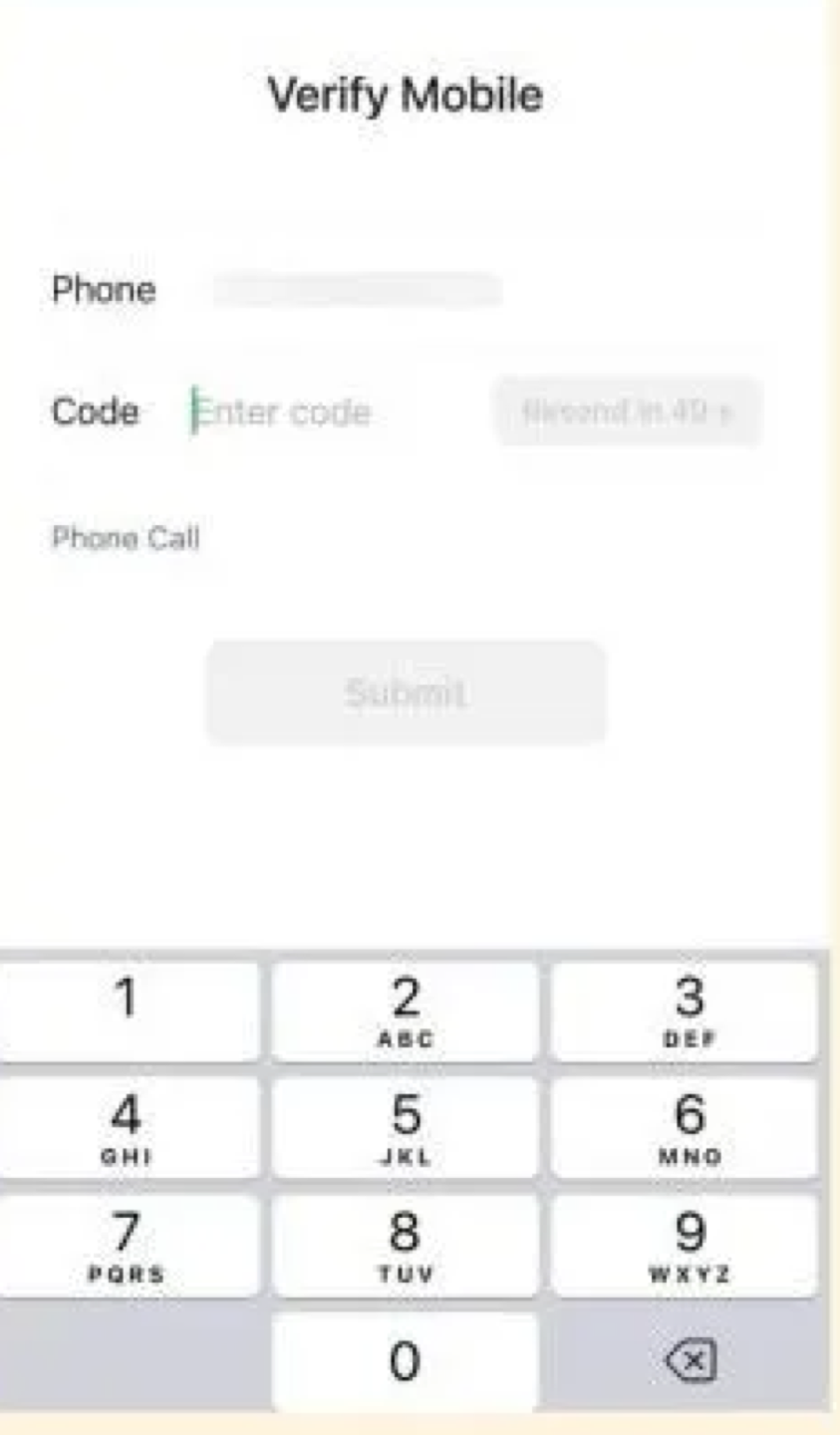
Verify your phone number
-
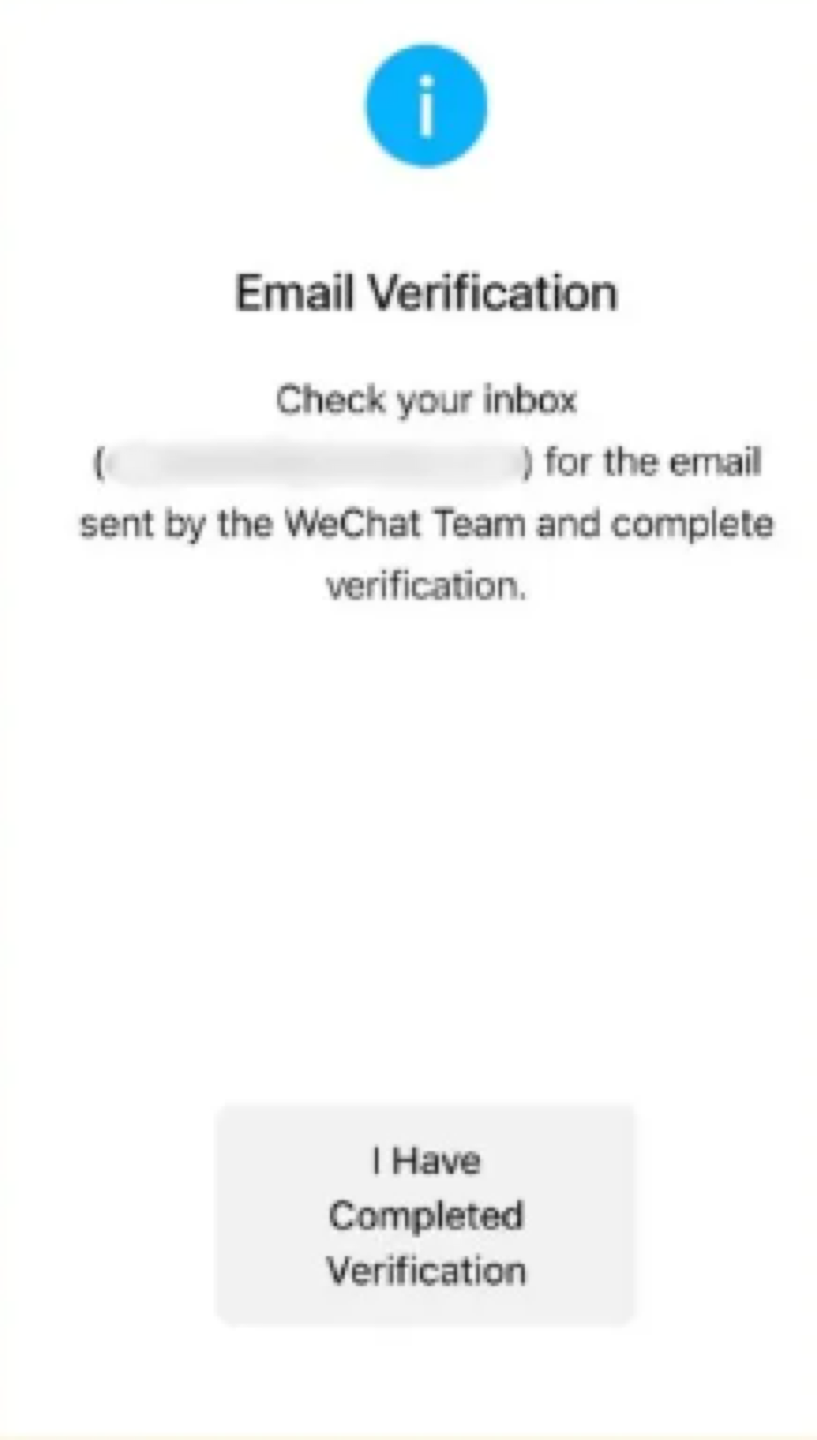
Verify your email, for account recovery.
-
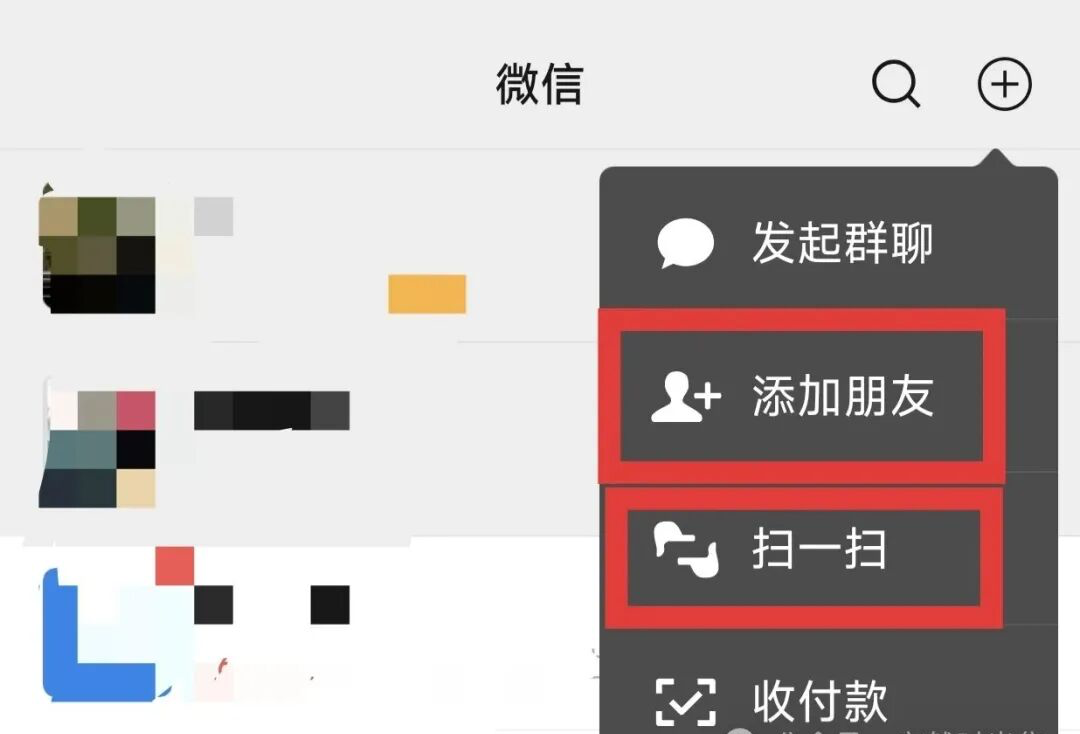
Add friends, Tap "+" → "Add Contacts" to search by WeChat ID or phone, or simply scan a friend's QR code.
-
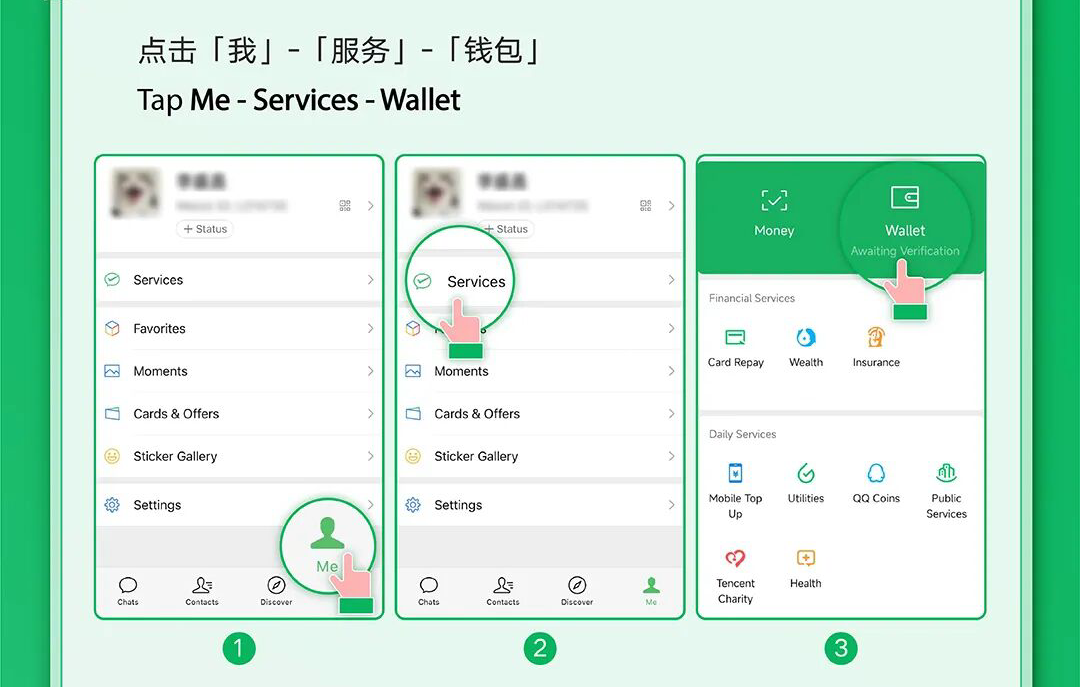
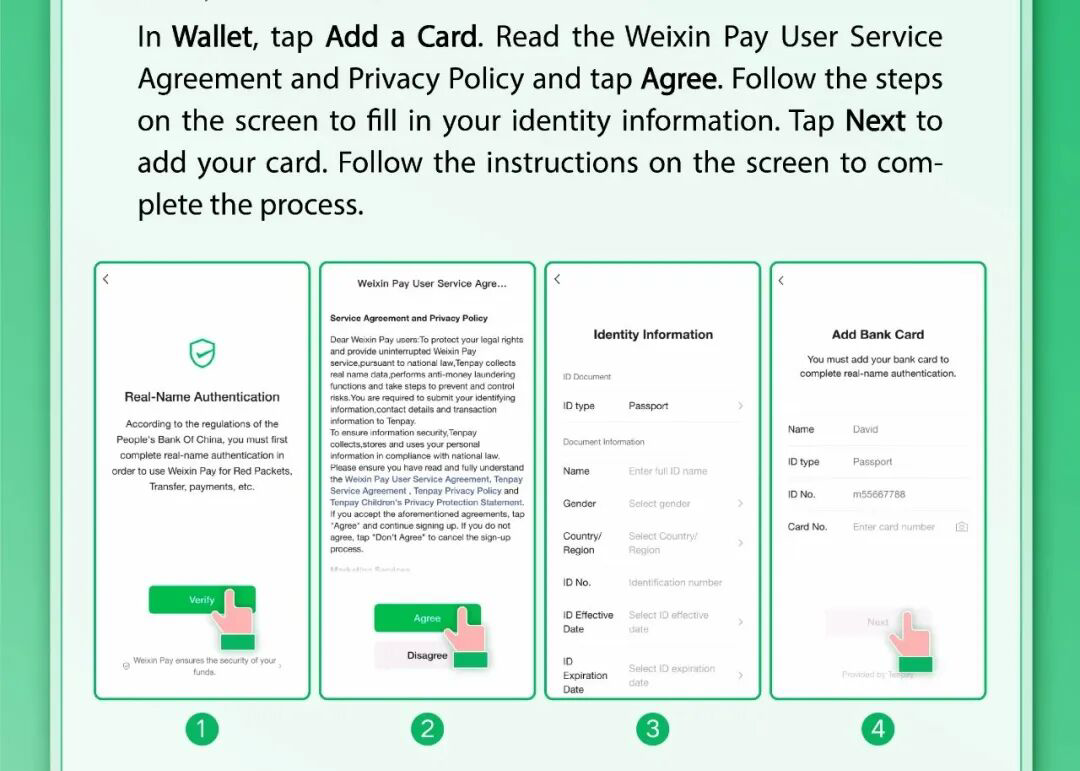
Bind your bank card, In "Services → Wallet", link a card to switch on payments.
2. Turn on WeChat Pay
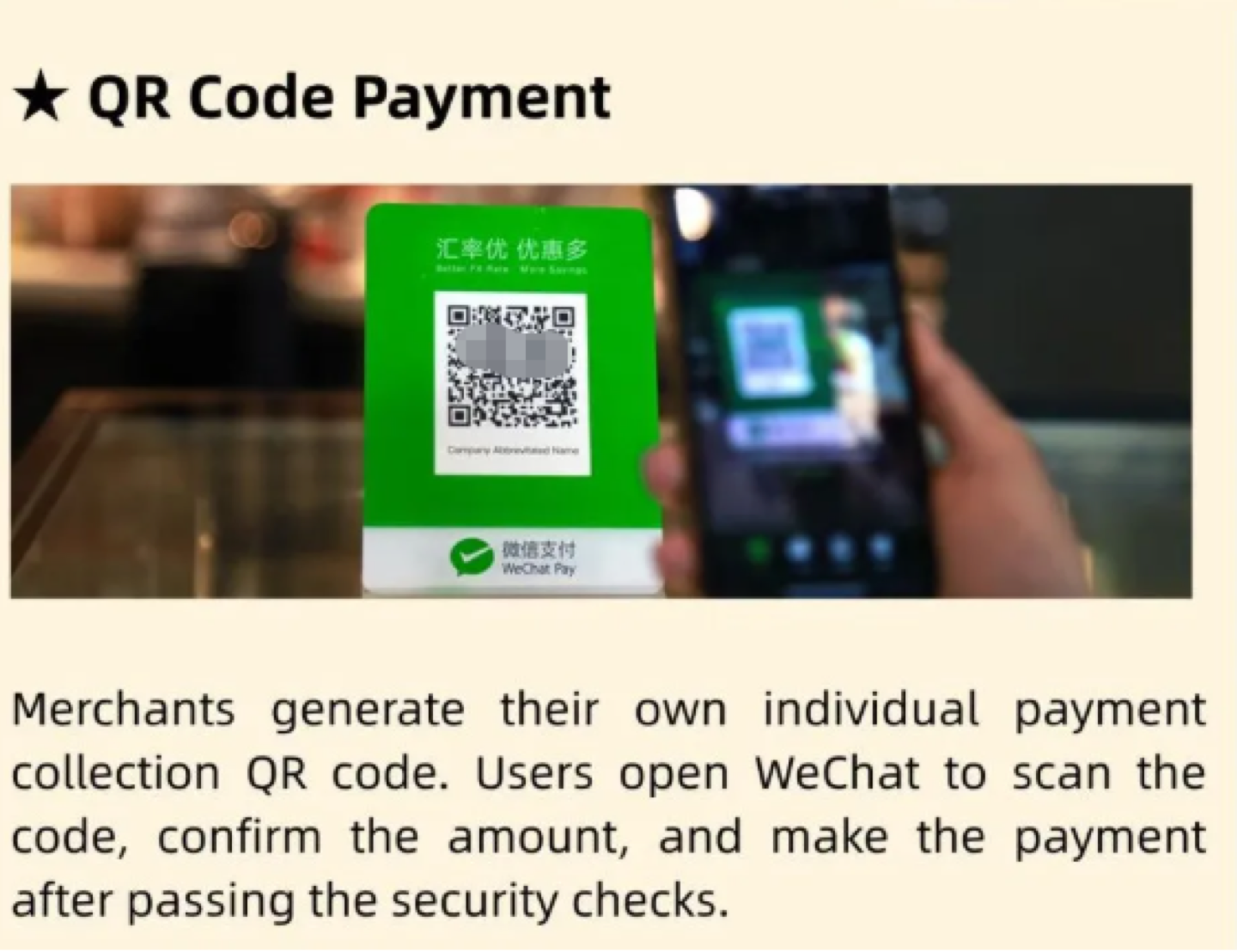
Once passport verification is done, bind an international card (Visa, Mastercard, etc.) or a local bank card in "Services → Wallet" to open up "Scan" and "Pay", frictionless, cashless payments.
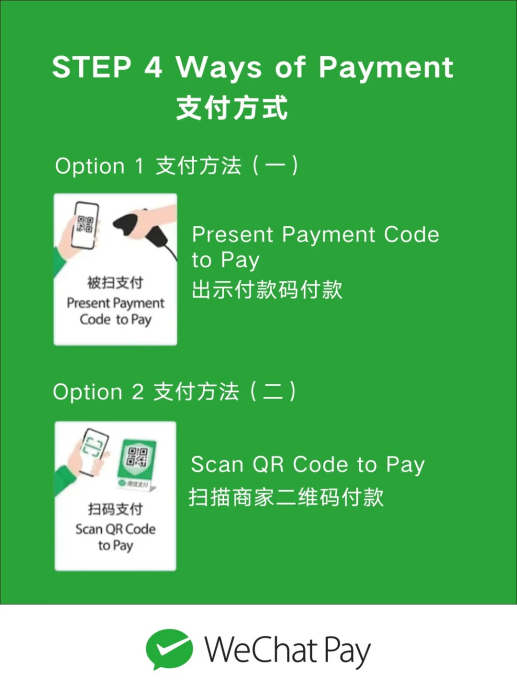

To send and receive money smoothly, you may also need to complete identity verification, including a document upload and a facial-recognition check.
Alipay is the second wallet most visitors end up installing, and running both saves you on the day one network stalls or a small merchant only shows one code. Our guide to setting up Alipay walks through the same steps from the other side.
it is not always frictionless. facial recognition can stall in dim light, and some foreign cards get declined at smaller merchants, so keep a little cash as backup until your first payment clears. my own verify failed twice in a poorly lit lobby before i stepped outside into daylight.
3. Beyond chat: everyday uses
Ride-hailing. Street taxis are hard with a language barrier. In "Services", call a ride directly, the app pins your location, translates your destination, and the fare is deducted from WeChat Pay automatically. Our notes on booking a DiDi cover fares, the English interface, and airport pickup rules.
Translation. Tap "+" → "Scan" → "Translate", point at any Chinese text, a menu, a sign, a manual, and a translated version appears instantly. For handwritten notes or a place with no signal, the translation tools for China roundup covers apps with offline packs.
Travel & more. Book trains and flights, top up mobile data, buy movie tickets, order food delivery, all without leaving the app.
a few mini-programs inside the app do the heavy lifting: Meituan (美团) for food delivery and local services, Ele.me (饿了么) for restaurants, 12306 for train tickets, Didi (滴滴) for rides, and Amap (高德) for maps, see our AMap navigation guide for reading transit lines and live traffic. a short city ride typically costs ¥15 to ¥30, and train tickets book with no extra fee right inside the app.
4. Translate chat messages
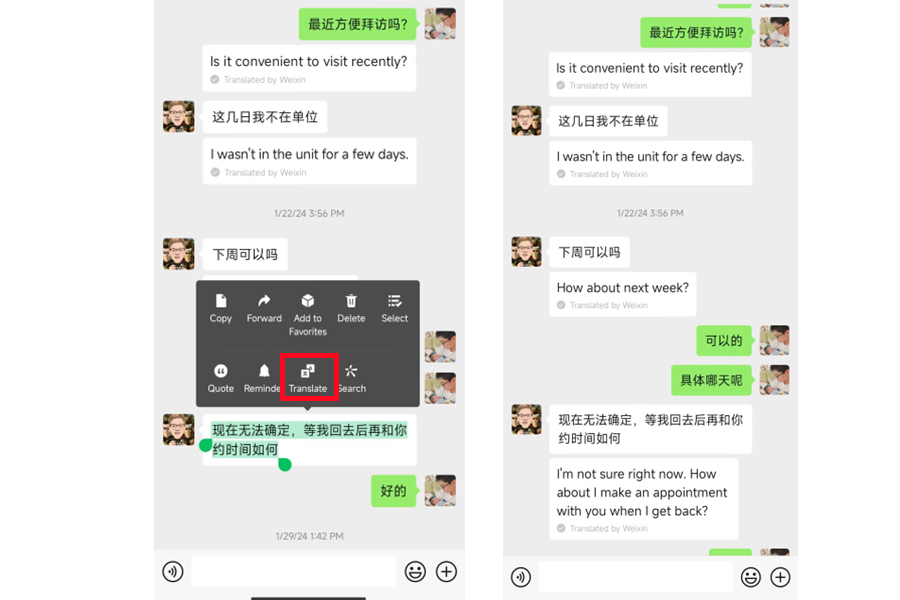
Language barrier in chats? WeChat has built-in translation. Long-press any message in a conversation, then tap "Translate", the text instantly switches to your language. Long-press again and "Original Text" switches it back.
To set your translation language: go to "Me → Settings → General → Languages", and pick the one you read in. You can also switch the entire app interface to English here.
Common questions about using WeChat in China
Why does WeChat real-name verification fail for foreigners?
Make sure your name matches your passport format (Surname Given Name) and upload your passport info page (and visa page, if you have one). If it still fails, contact support for manual review.
How do I unfreeze a blocked WeChat account?
Submit your passport, entry stamps, and proof of a China address (hotel or rental). Manual review takes 3–5 business days.
Can I use WeChat Pay without a Chinese bank account?
Yes. Once passport verification is done, bind an international card (Visa, Mastercard, and others) in "Services → Wallet". Some foreign cards do get declined at smaller merchants, so keep a little cash on you until your first payment clears.
Can I switch WeChat to English?
Yes. Go to "Me → Settings → General → Languages" and pick the language you read in. This switches the whole app interface, not just the chat translation.
How do I translate a message someone sent me in Chinese?
Long-press the message in the conversation and tap "Translate", the text switches to your language on the spot. Long-press again and choose "Original Text" to see the Chinese as it was written.
What can I do in WeChat besides chatting?
More than most newcomers expect: call a ride, scan a menu or street sign to translate it, book trains and flights, top up mobile data, buy movie tickets, and order food delivery. The mini-programs doing that work are Meituan (美团) for delivery, Ele.me (饿了么) for restaurants, 12306 for trains, DiDi (滴滴) for rides, and Amap (高德) for maps.